Feeling lost in a sea of interview questions? Landed that dream interview for Computer Applications Developer but worried you might not have the answers? You’re not alone! This blog is your guide for interview success. We’ll break down the most common Computer Applications Developer interview questions, providing insightful answers and tips to leave a lasting impression. Plus, we’ll delve into the key responsibilities of this exciting role, so you can walk into your interview feeling confident and prepared.
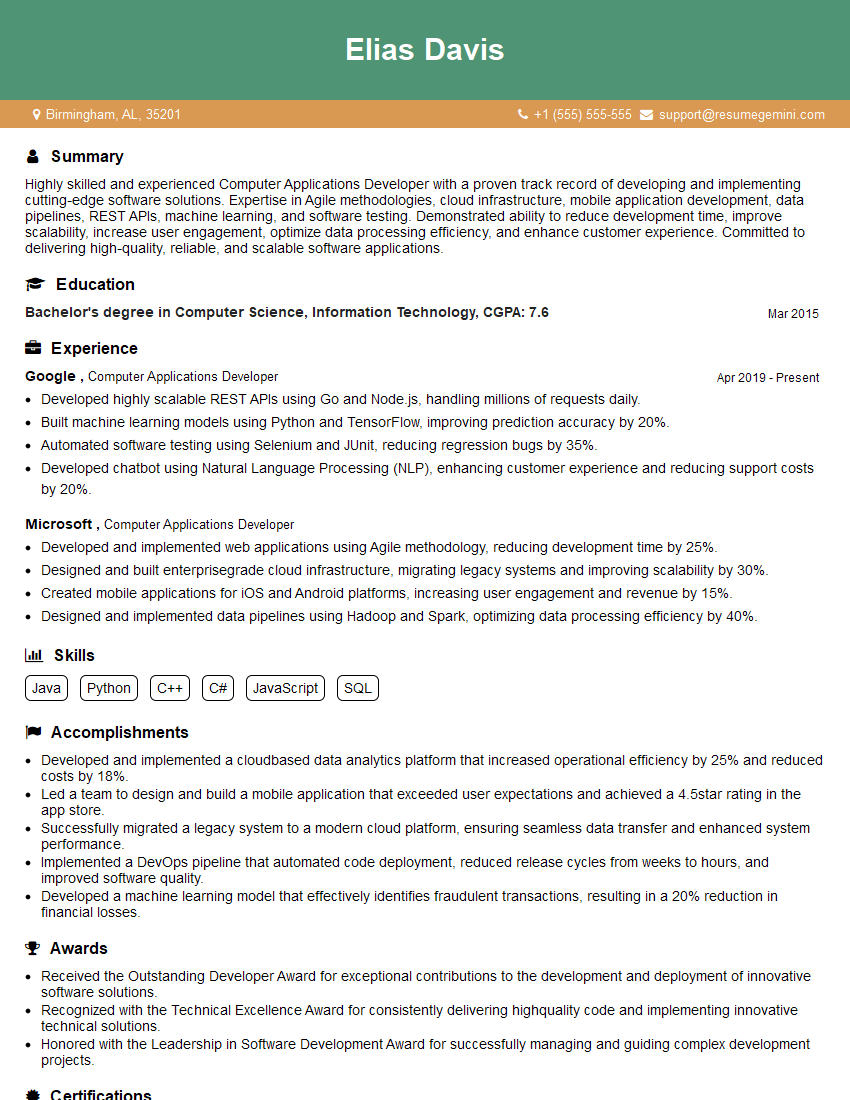
Acing the interview is crucial, but landing one requires a compelling resume that gets you noticed. Crafting a professional document that highlights your skills and experience is the first step toward interview success. ResumeGemini can help you build a standout resume that gets you called in for that dream job.






Essential Interview Questions For Computer Applications Developer
1. Describe the process of designing and developing a software application from scratch.
As a Computer Applications Developer, the process of designing and developing a software application from scratch involves several key steps:
- Requirements Gathering: Collaborate with stakeholders, analyze user needs, and define the scope and boundaries of the application.
- System Design: Create a high-level architecture, define data structures and algorithms, and design the overall system flow.
- Implementation: Write the code, implement the designed logic, and create the user interface.
- Testing: Conduct unit testing, integration testing, and user acceptance testing to ensure the application meets specifications and requirements.
- Deployment: Package the application, deploy it to the target environment, and make it accessible to end users.
- Maintenance: Monitor the application’s performance, address bugs, and implement updates to enhance features and functionality.
2. Explain the difference between Agile and Waterfall development methodologies.
Agile Methodology
- Iterative and Incremental: Breaks down project into smaller chunks, allowing for flexibility and adaptability.
- Customer-Centric: Involves end users throughout the development process to gather feedback and ensure alignment.
- Team-Based: Emphasizes collaboration and communication among team members.
Waterfall Methodology
- Sequential: Follows a linear approach where each phase must be completed before moving to the next.
- Requirements-Driven: Based on a detailed set of requirements that must be defined upfront.
- Less Flexible: Changes are more difficult to incorporate once a phase is completed.
3. Discuss the principles of object-oriented programming and how they are applied in software development.
- Encapsulation: Bundling data and methods into objects, hiding implementation details.
- Inheritance: Creating new classes that inherit properties and methods from existing classes.
- Polymorphism: Allowing objects of different classes to respond to the same message in a uniform way.
- Abstraction: Creating interfaces that expose only essential functionality, hiding underlying implementation.
4. Describe the role of data structures in software development and provide examples of commonly used ones.
- Arrays: Collections of similar data types stored in contiguous memory locations.
- Linked Lists: Collections of data elements connected through pointers, allowing for efficient insertion and deletion.
- Stacks: Collections that follow a Last-In, First-Out (LIFO) principle, commonly used in function calls and recursion.
- Queues: Collections that follow a First-In, First-Out (FIFO) principle, used in message queues and scheduling algorithms.
- Trees and Graphs: Hierarchical and interconnected data structures, respectively, used in computer science and data analysis.
5. Explain the concepts of software testing and describe different testing techniques.
- Unit Testing: Testing individual units or modules of code to ensure they function as expected.
- Integration Testing: Testing how different modules interact and work together.
- System Testing: Testing the entire software system as a whole, including its integration with other systems.
- User Acceptance Testing: Involving end users to evaluate the software’s functionality and determine if it meets their needs.
- Performance Testing: Measuring the responsiveness, scalability, and performance of the software under varying loads.
6. Discuss the importance of version control in software development and describe different version control systems.
- Collaboration: Allows multiple developers to work on the same project simultaneously.
- Version Tracking: Keeps track of all changes made to the codebase, enabling easy reversion and comparison.
- Backup and Recovery: Provides a safe repository for code, protecting against data loss.
Version Control Systems
- Git: A distributed version control system, allowing each developer to have a local copy of the repository.
- Subversion: A centralized version control system, storing all code in a central server.
- Mercurial: Another distributed version control system, similar to Git.
7. Describe the principles of software design patterns and provide examples of commonly used patterns.
- Singleton: Ensures that only one instance of a class is created.
- Factory: Creates objects without specifying the exact class, providing flexibility and decoupling.
- Observer: Allows objects to subscribe to events and get notified when they occur.
- Adapter: Makes incompatible interfaces compatible, allowing objects to work together.
- Facade: Provides a simplified interface to a complex system or library.
8. Explain the different types of software development environments and their uses.
- Integrated Development Environments (IDEs): Provide a comprehensive set of tools for coding, debugging, testing, and managing projects.
- Text Editors: Basic text editors that offer syntax highlighting and code autocompletion.
- Command-Line Interfaces (CLIs): Text-based environments that allow users to interact with the operating system and development tools.
- Cloud-Based Environments: Hosted online platforms that provide access to development tools and resources over the internet.
9. Discuss the importance of software documentation and describe different types of documentation.
- User Documentation: Instructions and guidance for end users on how to use the software.
- Developer Documentation: Technical information for developers on how the software is designed and implemented.
- Architectural Documentation: High-level overviews of the software’s architecture and design.
- API Documentation: Definitions and specifications for the application programming interface.
10. Describe the challenges and best practices of software development in Agile environments.
Challenges
- Changing Requirements: Agile methodologies embrace flexibility, which can lead to frequent changes in requirements.
- Communication and Coordination: Agile teams require effective communication and collaboration among team members.
- Managing Technical Debt: Agile development can sometimes lead to accumulating technical debt if not managed properly.
Best Practices
- Prioritization and Estimation: Using techniques like story pointing and backlog management to prioritize and estimate tasks accurately.
- Refactoring and Code Reviews: Regular code refactoring and peer reviews to maintain code quality.
- Continuous Integration and Testing: Automating testing and integrating code changes frequently to detect and resolve issues early.
Interviewers often ask about specific skills and experiences. With ResumeGemini‘s customizable templates, you can tailor your resume to showcase the skills most relevant to the position, making a powerful first impression. Also check out Resume Template specially tailored for Computer Applications Developer.
Career Expert Tips:
- Ace those interviews! Prepare effectively by reviewing the Top 50 Most Common Interview Questions on ResumeGemini.
- Navigate your job search with confidence! Explore a wide range of Career Tips on ResumeGemini. Learn about common challenges and recommendations to overcome them.
- Craft the perfect resume! Master the Art of Resume Writing with ResumeGemini’s guide. Showcase your unique qualifications and achievements effectively.
- Great Savings With New Year Deals and Discounts! In 2025, boost your job search and build your dream resume with ResumeGemini’s ATS optimized templates.
Researching the company and tailoring your answers is essential. Once you have a clear understanding of the Computer Applications Developer‘s requirements, you can use ResumeGemini to adjust your resume to perfectly match the job description.
Key Job Responsibilities
A Computer Applications Developer is responsible for designing, developing, and implementing computer applications to meet the needs of an organization or business. This can involve a wide range of tasks, from gathering user requirements to writing code to testing and deploying applications.
1. Gathering user requirements
The first step in developing a computer application is to gather user requirements. This involves meeting with users to understand their needs and wants, and then translating those requirements into a set of specifications that can be used to design and develop the application.
- Interview users to gather their requirements.
- Create user stories and use cases to document the requirements.
2. Designing the application
Once the user requirements have been gathered, the next step is to design the application. This involves creating a blueprint for the application, which includes the overall architecture, the user interface, and the database design.
- Create a system architecture diagram.
- Design the user interface prototypes.
3. Developing the application
Once the application has been designed, the next step is to develop it. This involves writing code to implement the application’s functionality.
- Write code in a programming language such as Java or Python.
- Use a development environment such as Eclipse or Visual Studio.
4. Testing the application
Once the application has been developed, it needs to be tested to ensure that it meets the user requirements and that it is free of defects.
- Write unit tests to test the individual components of the application.
- Write integration tests to test the application as a whole.
5. Deploying the application
Once the application has been tested and verified, it needs to be deployed to the production environment.
- Install the application on the production servers.
- Configure the application to work with the production environment.
Interview Tips
Preparing for a job interview can be a daunting task, but there are a few things you can do to increase your chances of success.
1. Research the company and the position
Before you go to your interview, it’s important to do your research and learn as much as you can about the company and the position you’re applying for.
- Visit the company’s website and read about their mission, values, and products or services.
- Look for news articles and blog posts about the company to get a sense of their culture and recent developments.
- Read the job description carefully and make sure you understand the requirements of the position.
2. Practice answering common interview questions
There are a number of common interview questions that you’re likely to be asked, such as “Tell me about yourself” and “Why are you interested in this position?” It’s a good idea to practice answering these questions in advance so that you can deliver your answers confidently and concisely.
- Use the STAR method to answer behavioral questions.
- Prepare specific examples of your skills and experience that are relevant to the position.
3. Dress professionally and arrive on time
First impressions matter, so it’s important to dress professionally and arrive on time for your interview. This shows the interviewer that you’re serious about the position and that you respect their time.
- Wear a suit or business casual attire.
- Be punctual and arrive at the interview location a few minutes early.
4. Be yourself and be enthusiastic
It’s important to be yourself and be enthusiastic during your interview. The interviewer wants to get to know the real you, so don’t try to be someone you’re not. And if you’re genuinely interested in the position, your enthusiasm will show through.
- Be honest and open about your skills and experience.
- Show the interviewer that you’re excited about the opportunity to work for the company.
Next Step:
Armed with this knowledge, you’re now well-equipped to tackle the Computer Applications Developer interview with confidence. Remember, preparation is key. So, start crafting your resume, highlighting your relevant skills and experiences. Don’t be afraid to tailor your application to each specific job posting. With the right approach and a bit of practice, you’ll be well on your way to landing your dream job. Build your resume now from scratch or optimize your existing resume with ResumeGemini. Wish you luck in your career journey!