Are you a seasoned Technology Teacher seeking a new career path? Discover our professionally built Technology Teacher Resume Template. This time-saving tool provides a solid foundation for your job search. Simply click “Edit Resume” to customize it with your unique experiences and achievements. Customize fonts and colors to match your personal style and increase your chances of landing your dream job. Explore more Resume Templates for additional options.






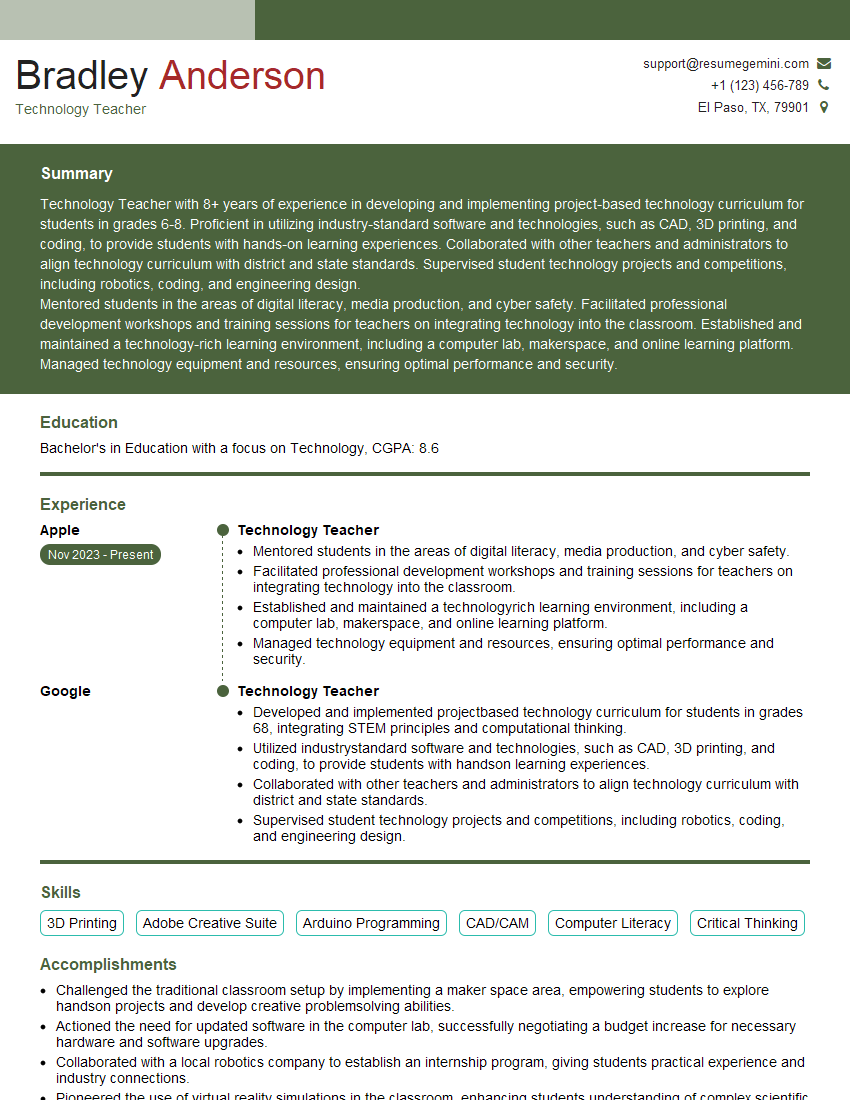
Bradley Anderson
Technology Teacher
Summary
Technology Teacher with 8+ years of experience in developing and implementing project-based technology curriculum for students in grades 6-8. Proficient in utilizing industry-standard software and technologies, such as CAD, 3D printing, and coding, to provide students with hands-on learning experiences. Collaborated with other teachers and administrators to align technology curriculum with district and state standards. Supervised student technology projects and competitions, including robotics, coding, and engineering design.
Mentored students in the areas of digital literacy, media production, and cyber safety. Facilitated professional development workshops and training sessions for teachers on integrating technology into the classroom. Established and maintained a technology-rich learning environment, including a computer lab, makerspace, and online learning platform. Managed technology equipment and resources, ensuring optimal performance and security.
Education
Bachelor’s in Education with a focus on Technology
October 2019
Skills
- 3D Printing
- Adobe Creative Suite
- Arduino Programming
- CAD/CAM
- Computer Literacy
- Critical Thinking
Work Experience
Technology Teacher
- Mentored students in the areas of digital literacy, media production, and cyber safety.
- Facilitated professional development workshops and training sessions for teachers on integrating technology into the classroom.
- Established and maintained a technologyrich learning environment, including a computer lab, makerspace, and online learning platform.
- Managed technology equipment and resources, ensuring optimal performance and security.
Technology Teacher
- Developed and implemented projectbased technology curriculum for students in grades 68, integrating STEM principles and computational thinking.
- Utilized industrystandard software and technologies, such as CAD, 3D printing, and coding, to provide students with handson learning experiences.
- Collaborated with other teachers and administrators to align technology curriculum with district and state standards.
- Supervised student technology projects and competitions, including robotics, coding, and engineering design.
Accomplishments
- Challenged the traditional classroom setup by implementing a maker space area, empowering students to explore handson projects and develop creative problemsolving abilities.
- Actioned the need for updated software in the computer lab, successfully negotiating a budget increase for necessary hardware and software upgrades.
- Collaborated with a local robotics company to establish an internship program, giving students practical experience and industry connections.
- Pioneered the use of virtual reality simulations in the classroom, enhancing students understanding of complex scientific concepts.
- Developed a mentorship program pairing students with industry professionals, fostering knowledge transfer and career exploration.
Awards
- Recognized by the district for innovative lesson planning and execution, leading to improved student engagement and proficiency in technology skills.
- Technology Leadership Award from the state education department for integrating cuttingedge technologies into the curriculum.
- Received a grant from the National Science Foundation for developing a robotics club and providing underprivileged students with access to advanced technology.
- Certified as a Google Educator Level 2, demonstrating proficiency in using Google tools for educational purposes.
Certificates
- Certified Ethical Hacker (CEH)
- CompTIA A+
- CompTIA Network+
- Google Certified Educator
Career Expert Tips:
- Select the ideal resume template to showcase your professional experience effectively.
- Master the art of resume writing to highlight your unique qualifications and achievements.
- Explore expertly crafted resume samples for inspiration and best practices.
- Build your best resume for free this new year with ResumeGemini. Enjoy exclusive discounts on ATS optimized resume templates.
How To Write Resume For Technology Teacher
- Highlight your skills and experience in developing and implementing project-based technology curriculum.
- Demonstrate your proficiency in using industry-standard software and technologies, such as CAD, 3D printing, and coding.
- Provide evidence of your collaboration with other teachers and administrators to align technology curriculum with district and state standards.
- Share examples of your success in supervising student technology projects and competitions.
- Showcase your ability to mentor students in the areas of digital literacy, media production, and cyber safety.
- Describe your experience in facilitating professional development workshops and training sessions for teachers on integrating technology into the classroom.
- Explain how you have established and maintained a technology-rich learning environment, including a computer lab, makerspace, and online learning platform.
Essential Experience Highlights for a Strong Technology Teacher Resume
- Develop and implement project-based technology curriculum for students in grades 6-8, integrating STEM principles and computational thinking.
- Utilize industry-standard software and technologies, such as CAD, 3D printing, and coding, to provide students with hands-on learning experiences.
- Collaborate with other teachers and administrators to align technology curriculum with district and state standards.
- Supervise student technology projects and competitions, including robotics, coding, and engineering design.
- Mentor students in the areas of digital literacy, media production, and cyber safety.
- Facilitate professional development workshops and training sessions for teachers on integrating technology into the classroom.
- Establish and maintain a technology-rich learning environment, including a computer lab, makerspace, and online learning platform.
Frequently Asked Questions (FAQ’s) For Technology Teacher
What are the qualifications required to become a Technology Teacher?
A bachelor’s degree in education with a focus on technology is typically required to become a technology teacher. Some states may also require teachers to have a teaching certification in technology.
Why is technology important in education?
Technology can be used to enhance student learning in a variety of ways. For example, technology can be used to create interactive lessons, provide students with access to online resources, and facilitate collaboration between students and teachers.
What are the benefits of project-based learning?
Project-based learning can help students develop a variety of skills, such as problem-solving, critical thinking, and communication. It can also help students learn how to work independently and as part of a team.
What are some tips for teaching technology to students?
Here are a few tips for teaching technology to students: 1. Start with the basics. Make sure students have a solid foundation in basic computer skills before moving on to more advanced topics. 2. Use hands-on activities. Students learn best by doing, so try to incorporate as many hands-on activities as possible into your lessons. 3. Be patient. Not all students will learn at the same pace, so be patient and provide extra support to those who need it. 4. Encourage creativity. Let students explore different ways to use technology. Don’t be afraid to let them make mistakes. Mistakes are a natural part of the learning process.
What are some common challenges that Technology Teachers face?
Technology teachers face a variety of challenges, including: 1. Keeping up with the latest technology trends. 2. Integrating technology into the curriculum in a meaningful way. 3. Providing all students with access to technology. 4. Dealing with technology issues in the classroom. 5. Assessing student learning in a technology-rich environment.
What are some tips for dealing with technology issues in the classroom?
Here are a few tips for dealing with technology issues in the classroom: 1. Be prepared. Make sure you have a backup plan in case technology fails. 2. Troubleshooting issues quickly. Don’t waste time trying to fix a problem that you don’t know how to fix. Ask for help from a colleague or IT support. 3. Don’t be afraid to ask for help. If you’re not sure how to fix a problem, ask for help from a colleague or IT support. 4. Keep a positive attitude. Technology issues can be frustrating, but try to stay positive and focus on the learning that is taking place.