





In today’s job market, standing out from the crowd is crucial. Creating a resume that effectively communicates your skills and experience is essential to making a positive first impression and landing your dream job. With the increasing use of Applicant Tracking Systems (ATS), it’s more important than ever to have an ATS-friendly resume that can pass the initial screening process and get you noticed by hiring managers.
Why ATS-Friendly Templates Matter in 2026
ATS are software programs used by recruiters and hiring managers to scan and filter resumes. They help streamline the hiring process by automating the screening of resumes and identifying the most qualified candidates. ATS use specific algorithms to parse and analyze resumes, looking for keywords and phrases that match the job description. If your resume is not ATS-friendly, it may be overlooked, no matter how qualified you are for the position.
With the increasing popularity of ATS, it’s essential to have a resume that is both ATS-compliant and visually appealing. ResumeGemini offers a suite of premium ATS-friendly templates that are designed to help you create a resume that stands out and gets you noticed. Our templates are formatted in a way that is easily parsed by ATS, ensuring that your resume is given a fair chance of being seen by human eyes.
7 Resume Templates to Ace ATS Scrutiny
ResumeGemini offers a variety of ATS-friendly templates to choose from, ensuring that you can find the perfect template for your industry and experience level. Here are seven of our most popular templates:
- The Modern Professional: A clean and modern template that is perfect for professionals in all industries.
- The Creative: A visually appealing template that is ideal for candidates in creative fields, such as design, marketing, and writing.
- The Executive: A sophisticated template that is perfect for executives and senior-level managers.
- The Academic: A professional template that is designed for academics and researchers.
- The Entry-Level: A simple and straightforward template that is perfect for recent graduates and entry-level candidates.
- The Functional: A template that focuses on skills and experience rather than chronological work history.
- The Chronological: A traditional template that lists work history in reverse chronological order.
Tips for Optimizing Your Resume for ATS
In addition to using an ATS-friendly template, there are several other things you can do to optimize your resume for ATS:
- Use keywords: Identify the keywords and phrases that are most relevant to the job you are applying for, and include them in your resume.
- Quantify your accomplishments: When possible, use numbers to quantify your accomplishments. This will help ATS to better understand your impact and contributions.
- Use a consistent font and font size: ATS can have difficulty parsing resumes that use multiple fonts and font sizes. Stick to a single font and font size throughout your resume.
- Avoid using images and graphics: ATS cannot read images and graphics. If you want to include images or graphics in your resume, save them as PDF files and include them as a separate attachment.
- Proofread carefully: Before submitting your resume, proofread it carefully for any errors. Even a single typo can cause your resume to be rejected by an ATS.
Industry-Specific Template Selection Guide
The type of resume template you choose should be based on your industry and experience level. Here is a guide to help you choose the right template for your needs:
| Industry | Recommended Templates |
|---|---|
| Technology | The Modern Professional, The Creative |
| Marketing | The Creative, The Modern Professional |
| Finance | The Executive, The Modern Professional |
| Healthcare | The Academic, The Executive |
| Education | The Academic, The Chronological |
| Entry-Level | The Entry-Level, The Modern Professional |
Customizing Templates for a Unique Edge
While ResumeGemini’s templates are designed to be ATS-friendly, you can also customize them to make your resume stand out. Here are a few tips:
- Change the font and font size: You can change the font and font size to match your personal style or the requirements of the job you are applying for.
- Add color: You can add color to your resume to make it more visually appealing. However, be careful not to use too much color, as this can be distracting.
- Include a headshot: A headshot can help you make a personal connection with the hiring manager. However, only include a headshot if it is professional and high-quality.
- Add a personal statement: A personal statement can help you highlight your skills and experience and explain why you are the best candidate for the job.
How to Create a Resume that Shines in Any ATS
Creating a resume that shines in any ATS can seem like a daunting task. However, by following these tips, you can create a resume that will get you noticed by hiring managers and land you the job you want.
- Choose the right template: The first step is to choose the right template for your industry and experience level. ResumeGemini offers a variety of ATS-friendly templates to choose from.
- Optimize your resume for ATS: Make sure your resume is formatted in a way that is easy for ATS to parse. Use keywords, quantify your accomplishments, and avoid using images and graphics.
- Proofread carefully: Before submitting your resume, proofread it carefully for any errors. Even a single typo can cause your resume to be rejected by an ATS.
- Customize your resume: While it’s important to use an ATS-friendly template, you can also customize it to make your resume stand out. Add color, change the font and font size, and include a headshot or personal statement.
- Get feedback: Once you have created a resume, get feedback from friends, family, or a career counselor. This will help you identify any areas that need improvement.
Preview and Personalize Your Resume with Ease
ResumeGemini makes it easy to preview and personalize your resume. Once you have chosen a template, you can enter your information and preview your resume in real-time. You can also make changes to the font, font size, and color, and add or remove sections as needed. When you are satisfied with your resume, you can download it as a PDF file or share it online.
With ResumeGemini, you can create a professional, ATS-friendly resume that will help you stand out from the crowd and land your dream job. Visit our website today to get started.
Career Expert Tips:
- Select the ideal resume template to showcase your professional experience effectively.
- Master the art of resume writing to highlight your unique qualifications and achievements.
- Checkout the resume writing tips for guidance and best practices.
- Make your 2025 brighter with a new job. Build a powerful resume with ResumeGemini and save big, enjoy exclusive discounts on premium templates.
Frequently Asked Questions (FAQs)
Why are ATS-friendly templates crucial for a successful resume?
ATS-friendly templates are designed to align with the criteria set by Applicant Tracking Systems (ATS) that many companies use to filter and rank resumes. These templates ensure that your resume is organized, formatted, and contains relevant keywords that ATS can scan and recognize, increasing your chances of being shortlisted for interviews.
How do I choose the right template for my industry?
ResumeGemini offers a wide range of industry-specific templates tailored to different job roles and sectors. When selecting a template, consider the specific industry you’re applying to and choose a template that aligns with its norms and expectations. For example, a creative field like marketing may prefer visually appealing templates, while a technical field like engineering may emphasize clarity and organization.
Can I customize the templates to fit my specific requirements?
Yes, ResumeGemini’s templates are highly customizable, allowing you to tailor them to your individual needs. You can modify the fonts, colors, sections, and content to create a resume that reflects your unique skills and experience. This customization ensures that your resume stands out and effectively showcases your qualifications.
How can I optimize my resume for ATS using these templates?
ResumeGemini’s templates are designed with ATS optimization in mind. They utilize clear and concise language, appropriate keywords, and a structured format that makes it easier for ATS to parse and match your resume to relevant job openings. Additionally, these templates ensure that important information, such as your contact details and skills, is prominently displayed and easily identifiable by ATS.
What makes ResumeGemini’s templates superior to others?
ResumeGemini’s templates are superior due to their:
- ATS-friendliness: Optimized for high visibility and ATS recognition.
- Customization options: Tailored to your individual needs and industry.
- Comprehensive content examples: Over 3.6 million examples for inspiration.
- One-time payment plan: No recurring charges or hidden fees.
Can I preview my resume before downloading it?
Yes, ResumeGemini allows you to preview your resume in real-time as you make changes and edits. This preview feature enables you to see how your resume will appear to potential employers before finalizing and downloading it. It helps ensure that your resume looks professional, polished, and ready to make a lasting impression.
Next Step:
Take advantage of ResumeGemini’s ATS-friendly templates and step-by-step guidance to create a resume that stands out in the competitive 2026 job market. With ResumeGemini, you can confidently present your skills, experience, and aspirations to potential employers, maximizing your chances of securing your dream job. Visit ResumeGemini today and unlock your career potential!
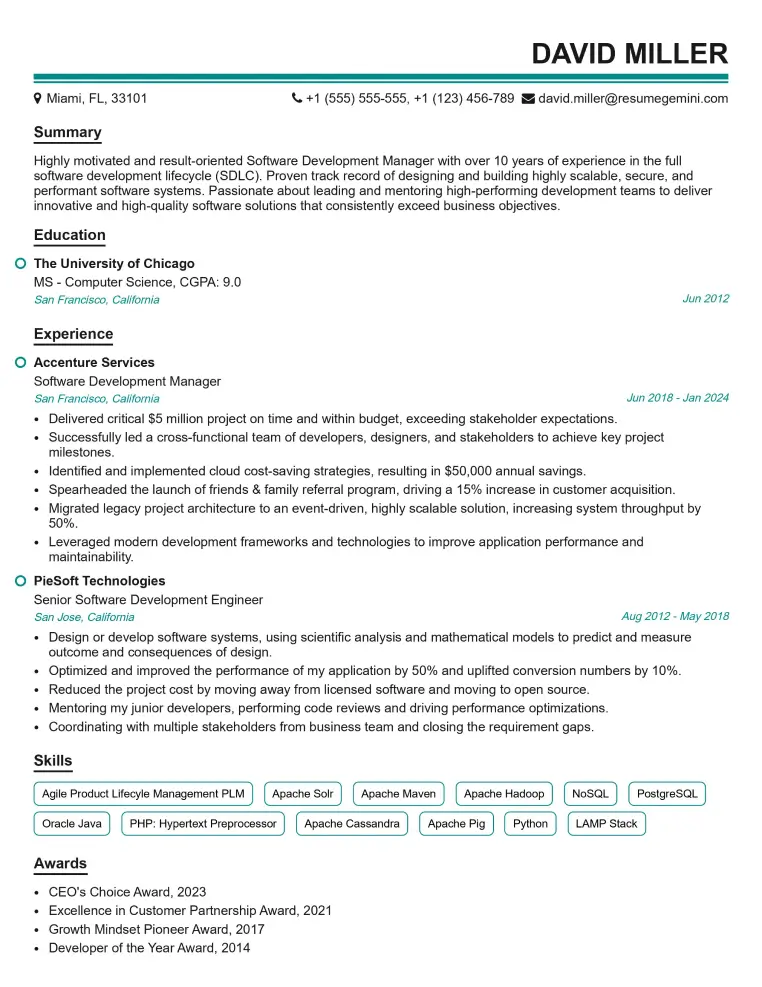
Elevate your job search with our premium resume templates. Here is an amazing resume template that can be used to build a professional and elegant resume. You can build a resume from scratch or revamp your existing resume. Impress hiring managers and secure your next opportunity.
- Top 50 Most Common Interview Questions
- The Psychology of a Great Resume: Hacks to Impress Recruiters
- What Mistakes to Avoid When Writing a Resume: A Comprehensive Guide
- Elevate Your Career with Expert Resume Building: Introducing ResumeGemini
- How to Write a Resume Using Google Gemini: Step-by-Step Guide