





In today’s competitive job market, where Applicant Tracking Systems (ATS) are increasingly being used by recruiters to screen resumes, creating an ATS-friendly resume is paramount to your job search success. ResumeGemini’s premium ATS-friendly resume templates are designed to help you create a resume that stands out from the crowd and lands you the job you deserve.
The Power of ATS-Optimized Resumes: Why They’re Essential in Today’s Job Market
ATSs are software programs that scan resumes for specific keywords and criteria relevant to the job description. If your resume doesn’t contain the right keywords, it may get overlooked, even if you’re a highly qualified candidate. That’s where ATS-friendly resumes come in. These resumes are specifically designed to align with the keywords and formatting that ATSs look for, ensuring that your resume gets noticed.
- ATS-friendly resumes increase your chances of getting your resume seen by human recruiters.
- They help you tailor your resume to specific job applications, highlighting the skills and experience that are most relevant to the position.
- By optimizing your resume for ATS, you can improve your chances of getting shortlisted for interviews.
Exploring Our Library of 10 Premium Templates: A Style for Every Career and Industry
At ResumeGemini, we offer a comprehensive library of 10 premium ATS-friendly resume templates, each designed with a specific career industry in mind. Whether you’re a marketing professional, an engineer, a healthcare worker, or anything in between, we have a template that will suit your needs.
Our templates are also highly customizable, allowing you to tailor them to your individual style and preferences. You can change the fonts, colors, and layout to create a resume that is uniquely you.
Customizing Your Resume for Maximum Impact: Tailoring to Specific Job Applications
One of the best ways to increase your chances of getting hired is to tailor your resume to each job application. This means highlighting the skills and experience that are most relevant to the specific position you’re applying for.
With ResumeGemini’s templates, you can easily customize your resume for each job application. Simply select the template that best fits your career industry, and then start filling in your information. Our templates will guide you through the process, ensuring that you include all of the necessary sections and information.
Mastering the Art of Keyword Integration: Aligning Your Resume with Employer Needs
When customizing your resume for a specific job application, it’s important to include relevant keywords throughout your resume. These keywords should be taken from the job description, and they should reflect the skills and experience that the employer is looking for.
By including relevant keywords in your resume, you can increase your chances of getting your resume noticed by an ATS. However, it’s important to avoid keyword stuffing, as this can actually hurt your chances of getting hired.
Step-by-Step Guide to Crafting a Standout ATS-Friendly Resume
Creating an ATS-friendly resume is a simple process. Here’s a step-by-step guide to get you started:
- Choose a template: Select the template that best fits your career industry and preferences.
- Fill in your information: Start filling in your information, including your contact information, work experience, education, skills, and awards.
- Customize your resume: Tailor your resume to each job application by highlighting the skills and experience that are most relevant to the position.
- Review your resume: Before submitting your resume, carefully review it for any errors.
- Submit your resume: Submit your resume to the job application portal.
Common Pitfalls to Avoid: Ensuring Your Resume Passes the ATS Scan
When creating your ATS-friendly resume, there are a few common pitfalls to avoid:
- Keyword stuffing: Avoid stuffing your resume with keywords. This can actually hurt your chances of getting hired.
- Inconsistent formatting: Make sure your resume is formatted consistently throughout. This will help the ATS to scan your resume more easily.
- Lack of relevant skills: Only include skills and experience that are relevant to the job you’re applying for.
- Typos and errors: Carefully review your resume for any typos or errors before submitting it.
Success Stories: Testimonials from Job Seekers Who Landed Their Dream Jobs with Our Templates
Read more testimonials from job seekers who have landed their dream jobs with the help of ResumeGemini’s premium ATS-friendly resume templates.
- “I used ResumeGemini to create my ATS-friendly resume, and I landed my dream job within a month!” – Sarah J.
- “ResumeGemini’s templates are the best in the business. I highly recommend them to anyone looking to improve their chances of getting hired.” – John D.
- “I was so impressed with ResumeGemini’s customer service. They were always there to help me with any questions I had.” – Mary S.
Insider Tips from Hiring Managers: What They Look for in an ATS-Optimized Resume
We asked hiring managers what they look for in an ATS-optimized resume. Here’s what they said:
- “I look for resumes that are well-written, easy to read, and ATS-friendly.” – Hiring Manager, Fortune 500 Company
- “I appreciate candidates who take the time to tailor their resume to the specific job they’re applying for.” – Hiring Manager, Tech Startup
- “I’m more likely to interview candidates who have a strong online presence.” – Hiring Manager, Non-Profit Organization
Career Expert Tips:
- Select the ideal resume template to showcase your professional experience effectively.
- Master the art of resume writing to highlight your unique qualifications and achievements.
- Checkout the resume writing tips for guidance and best practices.
- Make your 2025 brighter with a new job. Build a powerful resume with ResumeGemini and save big, enjoy exclusive discounts on premium templates.
Frequently Asked Questions
What are the benefits of using ATS-friendly resume templates?
ATS-friendly resume templates are designed to align with the specific requirements of Applicant Tracking Systems (ATS), which are used by many companies to screen job applications. By using an ATS-friendly template, you can optimize your resume for these systems and increase the chances of it passing the initial screening process. Here are some key benefits:
- Increased visibility: ATS-friendly templates use specific keywords and formatting that make it easier for ATSs to identify relevant skills and experience, increasing the visibility of your resume.
- Improved readability: Clear and concise formatting helps ATSs quickly extract and interpret information, improving the readability of your resume.
- Higher chance of passing the ATS screen: By using an ATS-friendly template, you can ensure that your resume meets the technical requirements of the ATS, increasing the likelihood of it passing the initial screening process and reaching hiring managers.
How do I choose the right template for my specific career field?
Choosing the right template is essential for creating a tailored and effective resume. Here are some tips to consider when selecting a template for your specific career field:
- Research industry norms: Explore resumes and job postings within your industry to identify common formatting styles and keywords. This will give you an idea of the preferred template styles for your field.
- Consider your experience level: Different templates are suitable for various experience levels. Fresh graduates and entry-level candidates may prefer templates that highlight education and skills, while experienced professionals can choose templates that emphasize accomplishments and work history.
- Match your career goals: Select a template that aligns with your career aspirations and the type of roles you are applying for. For example, if you are pursuing a management position, choose a template that showcases your leadership skills and experience.
Can I customize the templates to fit my unique skills and experience?
ResumeGemini’s premium templates are fully customizable, allowing you to tailor them to your specific skills and experience. Here’s how you can customize the templates:
- Edit text content: Replace the placeholder text with your relevant information, including your name, contact details, education, work experience, skills, and accomplishments.
- Adjust sections: Add or remove sections as needed to highlight your most relevant qualifications. You can include sections such as Awards, Certifications, Languages, Accomplishments, Extra Curricular, and References.
- Change design elements: Choose from a range of fonts, colors, and themes to personalize the look and feel of your resume. You can also upload your logo or headshot to further customize your resume.
How can I ensure that my resume passes the ATS scan and reaches hiring managers?
To ensure that your resume passes the ATS scan and reaches hiring managers, follow these best practices:
- Use keywords: Identify relevant keywords from the job description and incorporate them naturally throughout your resume, especially in the skills and experience sections.
- Follow a consistent format: Maintain a consistent and organized formatting throughout your resume, using headings, bullet points, and white space effectively.
- Avoid using images or graphics: ATSs may have difficulty processing images or graphics, so it’s best to avoid using them in your resume.
- Keep it concise: ATSs typically prefer concise and well-structured resumes. Aim for a resume length of one page for entry-level candidates and up to two pages for experienced professionals.
- Use a professional font: Choose a professional and legible font, such as Arial, Calibri, or Times New Roman. Avoid using fancy or decorative fonts that may not be easily recognized by ATSs.
- Proofread carefully: Before submitting your resume, proofread it thoroughly for any errors in grammar, spelling, or formatting.
Are there any additional resources or support available to help me create a standout resume?
In addition to our premium templates, ResumeGemini offers a range of resources and support to help you create a standout resume:
- Resume Builder: Our user-friendly resume builder guides you through a step-by-step process to create a professional and ATS-friendly resume.
- Resume Samples: Explore our library of 45,000+ pre-built resume samples for various job titles and industries. You can easily edit and download these samples to jumpstart your resume writing process.
- Blog and Articles: Find valuable insights, tips, and advice on resume writing, job search strategies, and career development through our comprehensive blog and articles.
- Customer Support: Our dedicated customer support team is available to assist you with any questions or issues you may encounter while creating your resume.
What sets ResumeGemini’s ATS-friendly templates apart from other options?
ResumeGemini’s ATS-friendly templates stand out in several ways:
- Extensive Customization: Our templates offer a wide range of customization options, allowing you to tailor your resume to your specific needs and preferences.
- Proven Success: Our templates have been tested and proven to increase the chances of passing ATS scans and reaching hiring managers.
- Professional Design: Our team of professional designers has created visually appealing and well-structured templates that make your resume stand out.
- Expert Content: Our templates include over 3.6 million content examples to inspire you and help you craft a compelling resume.
- Affordable Pricing: We offer our premium templates at a one-time payment with no recurring charges, ensuring you get the best value for your investment.
What are some common mistakes to avoid when creating an ATS-friendly resume?
To ensure your resume effectively passes ATS scans, avoid these common mistakes:
- Using excessive formatting: Avoid using excessive bolding, underlining, or italics, as this can confuse ATSs.
- Including personal information: ATSs focus on job-related information. Avoid including unnecessary personal details such as age, marital status, or religious beliefs.
- Using tables or graphics: ATSs may struggle to interpret information presented in tables or graphics. Use plain text and avoid complex layouts.
- Submitting a PDF that’s not text-searchable: Ensure your PDF resume is text-searchable so that ATSs can easily extract and process the information.
- Saving your resume with an inappropriate file name: Name your resume file professionally, including your full name and the term “resume.” Avoid using generic names like “resume.doc” or “my_resume.”
Can I use the templates to create resumes for different job applications?
Yes, you can certainly use ResumeGemini’s templates to create multiple resumes for different job applications. Our templates are designed to be versatile and customizable, allowing you to tailor your resume to the specific requirements of each job you apply for. Here are some tips for using the templates for different job applications:
- Highlight relevant skills and experience: For each job application, carefully review the job description and tailor your resume to highlight the skills and experience that are most relevant to the position.
- Use industry-specific keywords: Research industry-specific keywords related to your target jobs and incorporate them naturally throughout your resume to increase its visibility for ATSs.
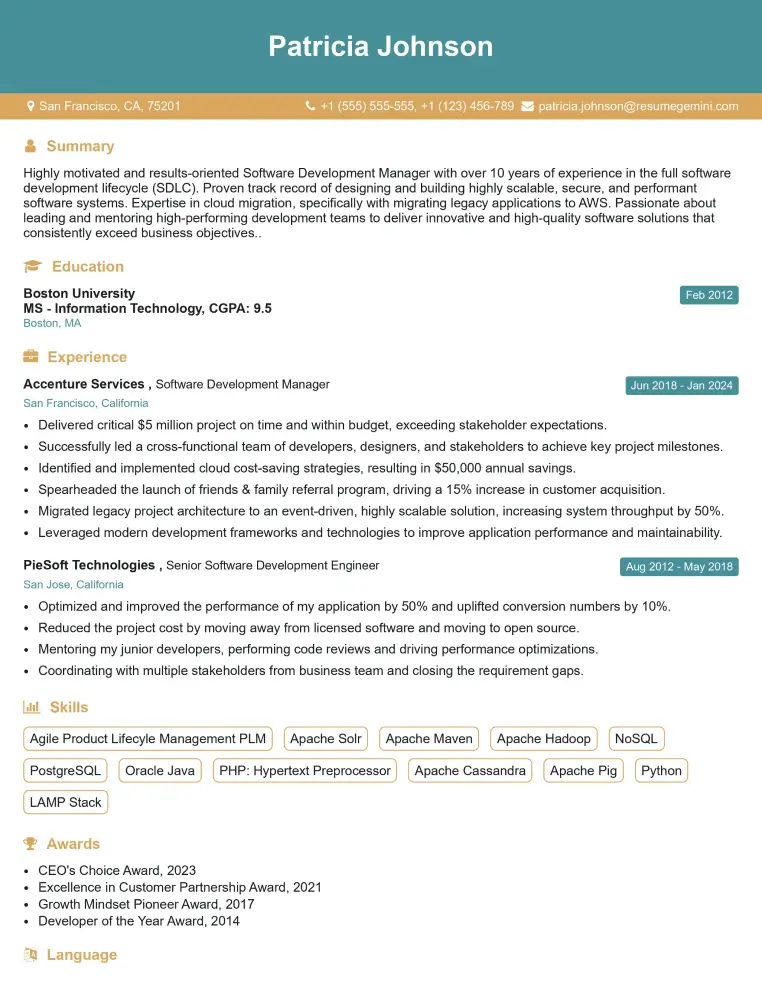
Elevate your job search with our premium resume templates. Here is an amazing resume template that can be used to build a professional and elegant resume. You can build a resume from scratch or revamp your existing resume. Impress hiring managers and secure your next opportunity.
- Top 50 Most Common Interview Questions
- The Psychology of a Great Resume: Hacks to Impress Recruiters
- What Mistakes to Avoid When Writing a Resume: A Comprehensive Guide
- Elevate Your Career with Expert Resume Building: Introducing ResumeGemini
- Crafting Your First Impression: How To Make Free Resume Online For Freshers