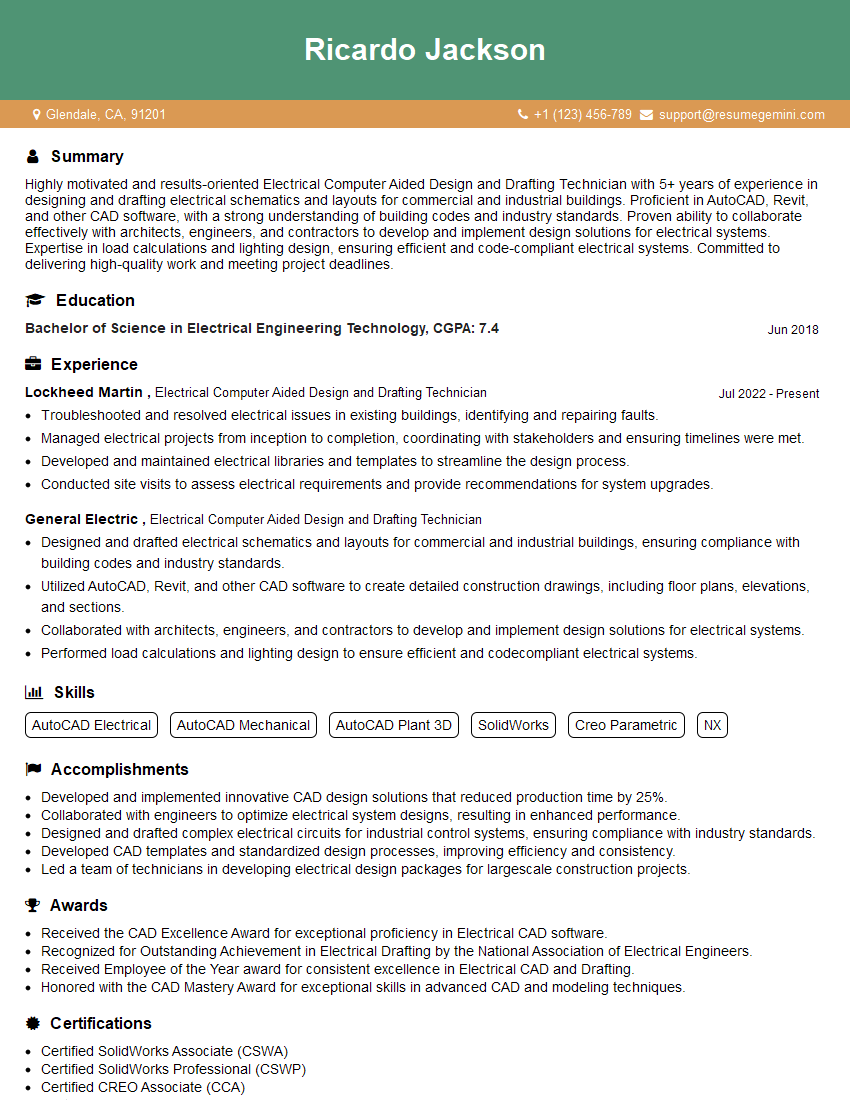
Are you gearing up for a career shift or aiming to ace your next interview? Look no further! We’ve curated a comprehensive guide to help you crack the interview for the coveted Electrical Computer Aided Design and Drafting Technician position. From understanding the key responsibilities to mastering the most commonly asked questions, this blog has you covered. So, buckle up and let’s embark on this journey together.
Acing the interview is crucial, but landing one requires a compelling resume that gets you noticed. Crafting a professional document that highlights your skills and experience is the first step toward interview success. ResumeGemini can help you build a standout resume that gets you called in for that dream job.






Essential Interview Questions For Electrical Computer Aided Design and Drafting Technician
1. Describe the process of creating an electrical schematic diagram using a CAD software.
- Gather requirements: Determine the purpose and specifications of the electrical system.
- Create a new project: Open a new CAD software project and set up the drawing parameters.
- Draw the circuit: Use the CAD tools to represent electrical components (e.g., resistors, capacitors, switches) and their connections.
- Annotate the diagram: Add labels, symbols, and notes to explain the circuit’s functionality.
- Check and verify: Review the schematic for errors, ensure it meets specifications, and obtain approvals.
2. How do you ensure accuracy and consistency in your CAD drawings?
Documentation and Standards
- Maintain a library of standardized symbols and components.
- Follow established drawing conventions and industry best practices.
Review and Validation
- Conduct thorough visual inspections and cross-checks.
- Use automated tools for error detection (e.g., design rule checkers).
Communication and Collaboration
- Communicate clearly with designers and engineers to minimize errors.
- Participate in design reviews to ensure consistency and adherence to specifications.
3. What is the importance of layer management in CAD drafting?
- Organization and clarity: Layers allow for grouping and separation of different elements of the drawing, making it easier to visualize and manage.
- Controllability: Layers provide control over visibility, line weight, color, and other properties, enabling selective display and modification.
- Collaboration: Layers facilitate collaboration by allowing multiple designers to work on specific aspects of the drawing without interfering with each other.
- Error reduction: By separating layers, errors can be localized and corrected more easily, preventing propagation across the entire drawing.
4. Describe the role of parametric constraints in CAD modeling.
- Maintain relationships: Parametric constraints define relationships between geometry, ensuring that changes to one element automatically update related elements.
- Flexibility and adaptability: Models with parametric constraints can be easily modified by adjusting parameters, making it faster and more efficient to explore design options.
- Error reduction: Constraints minimize manual calculations and reduce the likelihood of errors, ensuring accuracy and consistency.
- Design optimization: Parametric constraints enable iterative design processes, where parameters can be adjusted to optimize performance or meet specific requirements.
5. How do you troubleshoot common CAD software issues, such as drawing corruption or slow performance?
- Identify error messages: Examine error messages and consult documentation to understand the cause.
- File recovery: Attempt to recover corrupted drawings using built-in recovery tools or third-party software.
- File optimization: Check for large or complex elements that may be slowing down performance. Remove or simplify unnecessary details.
- System optimization: Ensure that your computer meets the software’s hardware requirements and optimize settings for performance.
- Software updates: Install the latest software updates to resolve known bugs and improve stability.
6. Explain the principles of dimensioning in technical drawings.
- Accuracy and precision: Dimensions must be accurate, precise, and clearly indicated to ensure proper manufacturing.
- Clarity and consistency: Use standardized dimensioning practices and avoid overcrowding or ambiguity.
- Functional purpose: Dimensions should support the assembly, installation, and usage of the designed product.
- Geometric tolerancing: Specify tolerances to control the allowable variation in dimensions, ensuring proper fit and function.
7. How do you effectively communicate design intent through technical drawings?
- Clear and complete drawings: Ensure that drawings are complete, accurate, and easy to understand.
- Appropriate views and sections: Select and present views that effectively convey the design intent.
- Detailed annotations: Use annotations, notes, and labels to provide additional information and clarify the design.
- Collaboration and feedback: Seek input and feedback from engineers and other stakeholders to ensure effective communication.
8. Describe the process of converting a 2D CAD drawing into a 3D model.
- Create 3D primitives: Start by creating basic 3D shapes (e.g., cubes, cylinders) that represent the 2D geometry.
- Extrude and revolve features: Use extrusion and revolving tools to generate 3D features from the 2D shapes.
- Add details and textures: Include details, such as fillets, rounds, and textures, to enhance the realism of the model.
- Check and refine: Review the 3D model, check for errors, and make necessary adjustments to ensure accuracy and completeness.
9. How do you stay updated with the latest CAD software and technologies?
- Attend industry events and webinars: Participate in conferences, seminars, and online events to learn about new technologies and best practices.
- Read industry publications and blogs: Stay informed through trade magazines, newsletters, and online forums.
- Take online courses and certifications: Enhance skills and knowledge through instructor-led or self-paced courses and certifications.
- Network with peers and experts: Engage with other professionals in the field to exchange ideas and learn about emerging trends.
10. What are your strengths and areas for improvement as an Electrical CAD Drafter?
Strengths
- Proficient in multiple CAD software packages, including AutoCAD Electrical
- Strong understanding of electrical engineering principles and symbols
- Excellent attention to detail and accuracy
- Effective communication and teamwork skills
Areas for Improvement
- Further development in 3D CAD modeling
- Enhanced knowledge of PLC programming
Interviewers often ask about specific skills and experiences. With ResumeGemini‘s customizable templates, you can tailor your resume to showcase the skills most relevant to the position, making a powerful first impression. Also check out Resume Template specially tailored for Electrical Computer Aided Design and Drafting Technician.
Career Expert Tips:
- Ace those interviews! Prepare effectively by reviewing the Top 50 Most Common Interview Questions on ResumeGemini.
- Navigate your job search with confidence! Explore a wide range of Career Tips on ResumeGemini. Learn about common challenges and recommendations to overcome them.
- Craft the perfect resume! Master the Art of Resume Writing with ResumeGemini’s guide. Showcase your unique qualifications and achievements effectively.
- Great Savings With New Year Deals and Discounts! In 2025, boost your job search and build your dream resume with ResumeGemini’s ATS optimized templates.
Researching the company and tailoring your answers is essential. Once you have a clear understanding of the Electrical Computer Aided Design and Drafting Technician‘s requirements, you can use ResumeGemini to adjust your resume to perfectly match the job description.
Key Job Responsibilities
Electrical Computer Aided Design and Drafting Technicians (ECAD/DCTs) play a vital role in the design and development of electrical systems and components. Utilizing specialized software tools, they transform complex electrical designs into detailed technical drawings and schematics.
1. Design and Development
- Create electrical designs using CAD/CAE (Computer-Aided Design/Computer-Aided Engineering) software.
- Develop schematics, wiring diagrams, and other technical documentation.
2. Drafting and Documentation
- Prepare detailed technical drawings and layouts.
- Ensure accuracy and adherence to industry standards and regulations.
3. Collaborate and Communicate
- Work closely with engineers, architects, and other professionals.
- Communicate design concepts and technical details effectively.
4. Manage Projects
- Manage multiple design projects simultaneously within established timelines.
- Resolve technical issues and ensure project completion.
Interview Tips
To ace an interview for an ECAD/DCT position, it is crucial to showcase your technical proficiency, attention to detail, and ability to work effectively in a team environment.
1. Research the Company and Industry
- Familiarize yourself with the company’s products, services, and industry trends.
- Demonstrate your understanding of the company’s specific requirements and the role’s responsibilities.
2. Highlight Your Technical Skills
- Emphasize your proficiency in CAD/CAE software, such as AutoCAD, SolidWorks, and Altium Designer.
- Showcase your knowledge of electrical theory, circuit analysis, and component selection.
3. Prepare for Technical Questions
- Practice answering questions related to electrical design principles, drafting standards, and troubleshooting techniques.
- Prepare examples of your previous work that demonstrate your technical abilities.
4. Communicate Effectively
- Articulate your design concepts clearly and concisely.
- Demonstrate your ability to explain technical information to non-technical audiences.
5. Show Your Enthusiasm and Passion
- Express your genuine interest in electrical design and drafting.
- Convey your eagerness to learn and contribute to the team.
Next Step:
Now that you’re armed with the knowledge of Electrical Computer Aided Design and Drafting Technician interview questions and responsibilities, it’s time to take the next step. Build or refine your resume to highlight your skills and experiences that align with this role. Don’t be afraid to tailor your resume to each specific job application. Finally, start applying for Electrical Computer Aided Design and Drafting Technician positions with confidence. Remember, preparation is key, and with the right approach, you’ll be well on your way to landing your dream job. Build an amazing resume with ResumeGemini