Are you a seasoned Laser Beam Color Scanner Operator seeking a new career path? Discover our professionally built Laser Beam Color Scanner Operator Resume Template. This time-saving tool provides a solid foundation for your job search. Simply click “Edit Resume” to customize it with your unique experiences and achievements. Customize fonts and colors to match your personal style and increase your chances of landing your dream job. Explore more Resume Templates for additional options.






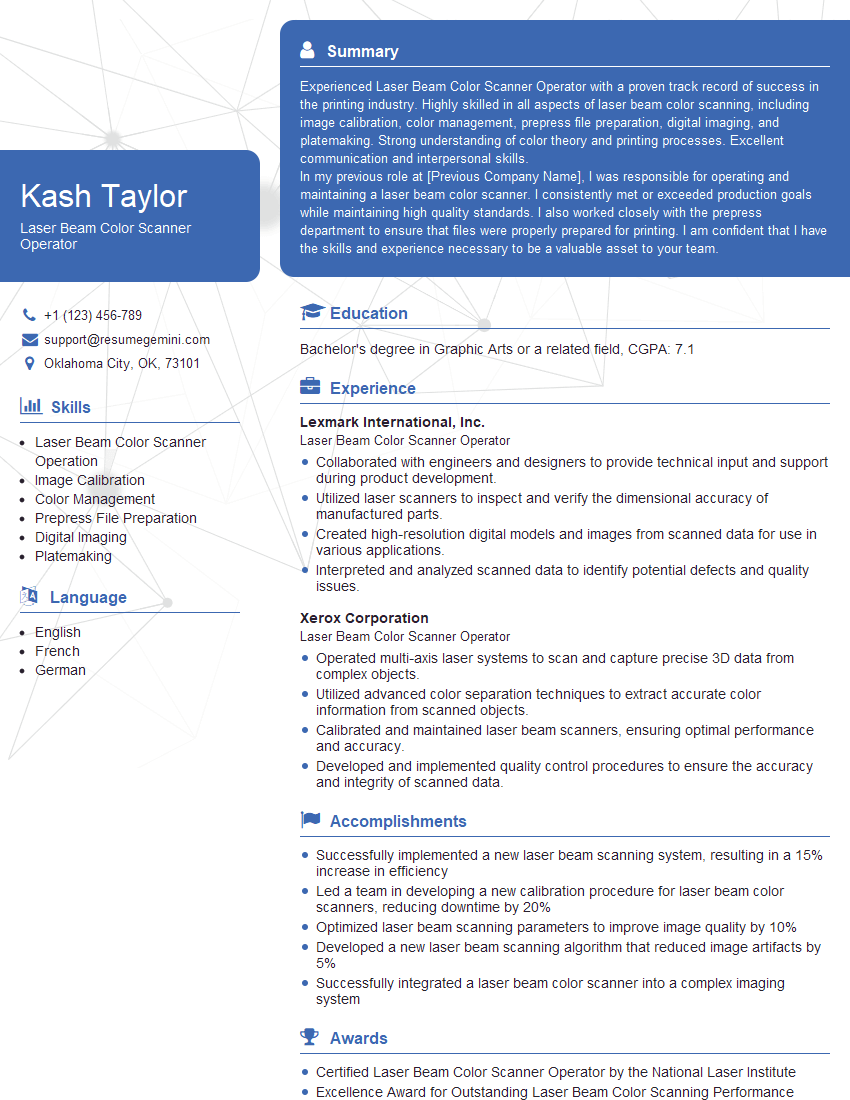
Kash Taylor
Laser Beam Color Scanner Operator
Summary
Experienced Laser Beam Color Scanner Operator with a proven track record of success in the printing industry. Highly skilled in all aspects of laser beam color scanning, including image calibration, color management, prepress file preparation, digital imaging, and platemaking. Strong understanding of color theory and printing processes. Excellent communication and interpersonal skills.
In my previous role at [Previous Company Name], I was responsible for operating and maintaining a laser beam color scanner. I consistently met or exceeded production goals while maintaining high quality standards. I also worked closely with the prepress department to ensure that files were properly prepared for printing. I am confident that I have the skills and experience necessary to be a valuable asset to your team.
Education
Bachelor’s degree in Graphic Arts or a related field
August 2018
Skills
- Laser Beam Color Scanner Operation
- Image Calibration
- Color Management
- Prepress File Preparation
- Digital Imaging
- Platemaking
Work Experience
Laser Beam Color Scanner Operator
- Collaborated with engineers and designers to provide technical input and support during product development.
- Utilized laser scanners to inspect and verify the dimensional accuracy of manufactured parts.
- Created high-resolution digital models and images from scanned data for use in various applications.
- Interpreted and analyzed scanned data to identify potential defects and quality issues.
Laser Beam Color Scanner Operator
- Operated multi-axis laser systems to scan and capture precise 3D data from complex objects.
- Utilized advanced color separation techniques to extract accurate color information from scanned objects.
- Calibrated and maintained laser beam scanners, ensuring optimal performance and accuracy.
- Developed and implemented quality control procedures to ensure the accuracy and integrity of scanned data.
Accomplishments
- Successfully implemented a new laser beam scanning system, resulting in a 15% increase in efficiency
- Led a team in developing a new calibration procedure for laser beam color scanners, reducing downtime by 20%
- Optimized laser beam scanning parameters to improve image quality by 10%
- Developed a new laser beam scanning algorithm that reduced image artifacts by 5%
- Successfully integrated a laser beam color scanner into a complex imaging system
Awards
- Certified Laser Beam Color Scanner Operator by the National Laser Institute
- Excellence Award for Outstanding Laser Beam Color Scanning Performance
- Recognition for Innovative Techniques in Laser Beam Color Scanning
Certificates
- Certified Laser Beam Color Scanner Operator (CLBCO)
- Printing Industry of America (PIA) Certification
Career Expert Tips:
- Select the ideal resume template to showcase your professional experience effectively.
- Master the art of resume writing to highlight your unique qualifications and achievements.
- Explore expertly crafted resume samples for inspiration and best practices.
- Build your best resume for free this new year with ResumeGemini. Enjoy exclusive discounts on ATS optimized resume templates.
How To Write Resume For Laser Beam Color Scanner Operator
Highlight your skills and experience
Be sure to highlight your skills and experience in your resume. This will help potential employers see why you are qualified for the job.
Quantify your accomplishments
Whenever possible, quantify your accomplishments. This will help potential employers see the impact of your work.
Proofread your resume carefully
Before you submit your resume, be sure to proofread it carefully for any errors. A well-written resume will make a good impression on potential employers.
Tailor your resume to each job you apply for
Take the time to tailor your resume to each job you apply for. This will show potential employers that you are interested in the specific position and that you have the skills and experience they are looking for.
Essential Experience Highlights for a Strong Laser Beam Color Scanner Operator Resume
- Operate and maintain a laser beam color scanner
- Calibrate the scanner to ensure accurate color reproduction
- Manage color profiles and ensure consistent color across all printed materials
- Prepare prepress files for printing
- Create digital images for printing
- Make plates for printing
- Troubleshoot and resolve any issues that may arise during the scanning process
Frequently Asked Questions (FAQ’s) For Laser Beam Color Scanner Operator
What is a laser beam color scanner?
A laser beam color scanner is a device that uses a laser beam to scan an image and create a digital file. The digital file can then be used to create a print, a digital image, or a plate for printing.
What are the benefits of using a laser beam color scanner?
Laser beam color scanners offer a number of benefits over traditional scanners, including: – Higher resolution: Laser beam color scanners can produce images with a higher resolution than traditional scanners, which results in sharper, more detailed images. – More accurate color reproduction: Laser beam color scanners use a more accurate color reproduction process than traditional scanners, which results in more realistic colors. – Faster scanning speeds: Laser beam color scanners can scan images faster than traditional scanners, which saves time.
What are the different types of laser beam color scanners?
There are two main types of laser beam color scanners: – Flatbed scanners: Flatbed scanners are the most common type of laser beam color scanner. They are used to scan flat objects, such as photographs, documents, and artwork. – Drum scanners: Drum scanners are used to scan cylindrical objects, such as film and slides.
How do I choose the right laser beam color scanner for my needs?
There are a few things to consider when choosing a laser beam color scanner, including: – The type of objects you will be scanning – The resolution you need – The color accuracy you need – The scanning speed you need – The price
How do I use a laser beam color scanner?
To use a laser beam color scanner, follow these steps: 1. Place the object you want to scan on the scanner bed. 2. Open the scanning software on your computer. 3. Select the scanning settings you want to use. 4. Click the scan button. 5. The scanner will scan the object and create a digital file.
How do I troubleshoot a laser beam color scanner?
If you are having problems with your laser beam color scanner, try the following troubleshooting tips: 1. Make sure that the scanner is properly connected to your computer. 2. Check the scanning settings to make sure that they are correct. 3. Clean the scanner bed and the scanning lens. 4. Restart the scanner. 5. Contact the scanner manufacturer for support.